
Description
If you’re looking to boost your WordPress site’s performance, WPJohnny’s speed optimization courses might be exactly what you need. You’ll start with the basics and move through advanced techniques, all while gaining practical skills you can use right away. Whether you’re managing your own site or working with clients, the curriculum promises actionable strategies and real-world results. But before you jump in, there’s something about their community and certification that sets them apart…
Key Takeaways
- WPJohnny offers structured WordPress speed optimization courses from basic to advanced levels, covering security, caching, server tuning, and custom plugin development.
- Completing all three courses earns you WPJ Certification, increasing your credibility and visibility in the Specialist Directory.
- Courses provide hands-on techniques for diagnosing speed issues, plugin management, and performance metric analysis using real-world examples.
- Regular course updates, active community discussions, and email notifications keep your skills and knowledge current.
- Flexible pricing options range from a free speed-up package to premium consultations, though enrollment may be limited due to high demand.
Course Structure and Learning Path
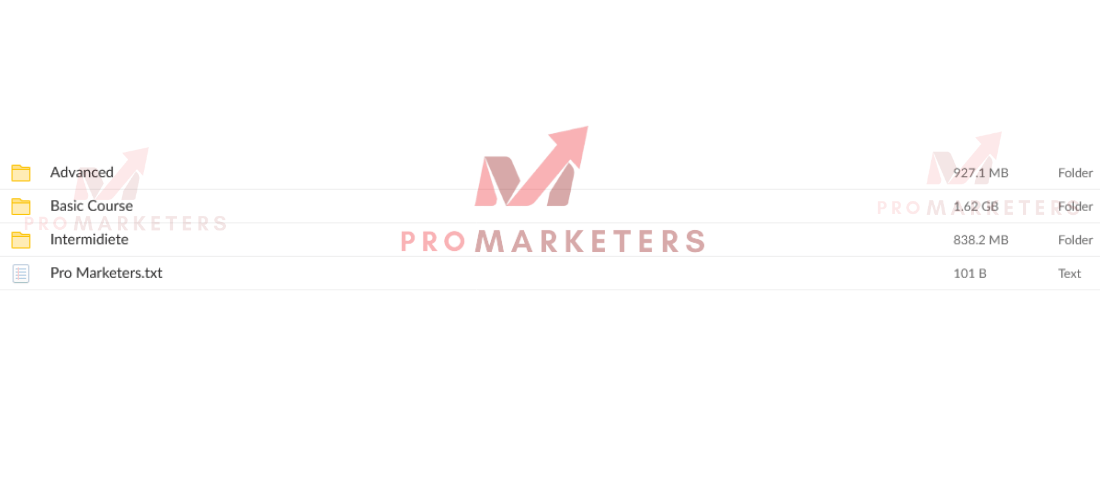
WPJohnny’s WordPress speed optimization courses follow a clear learning path, guiding you from foundational concepts to advanced techniques. You’ll start with the Basic course, which uses short, focused videos to help you quickly boost your site’s speed. Here, you won’t need advanced skills—just a willingness to make smart changes, like swapping out bloated themes or plugins for lighter options. Even if you only have minimal basic coding knowledge, you’ll find these lessons accessible and effective.
As you progress, each course builds on your previous knowledge. The Intermediate course introduces more technical elements, designed for users ready to tackle caching and redirects. If you’re aiming for expert status, the Advanced course dives into server architecture and custom plugin development, perfect for those comfortable with more complex coding. Completing all three courses earns you the WPJ Certification, officially recognizing your expertise in WordPress speed optimization.
Key Topics Covered in Each Course Level
While each course level targets a different skill set, you’ll find that all of them focus on practical, actionable topics to improve your site’s performance. The Basic course introduces lightweight security best practices and helps you replace overly complex themes or plugins, grounding you in user-friendly speed optimizations and diagnosis. You’ll also get familiar with basic coding principles, ensuring you can make minor tweaks confidently.
As you move into the Intermediate course, the focus shifts to caching strategies and redirect handling. Here, you’ll build on your foundational knowledge to tackle more technical speed optimizations and diagnosis tasks.
The Advanced course is where things get in-depth—covering server architecture, stack selection, and custom plugin development. It emphasizes advanced caching and fine-tuning for dynamic sites. Every course features concise 5-20 minute videos and adapts based on student feedback.
| Course Level | Key Topics |
|---|---|
| Basic | Security, themes/plugins, basics |
| Intermediate | Caching, redirects, troubleshooting |
| Advanced | Server tuning, custom plugins |
Hands-On Speed Optimization Techniques
You’ll start by learning quick diagnosis methods that help you spot speed issues using browser developer tools. Next, you’ll focus on efficient plugin management to guarantee only essential plugins run on your site. These hands-on techniques give you practical skills to boost your WordPress performance right away.
Quick Diagnosis Methods
Curious about how to pinpoint what’s slowing down your WordPress site? Start by establishing a neutral site state—disable caching plugins and CDN services. This gives you a true baseline for your load tests. Open your site in incognito mode to prevent cached results from skewing your data. Use browser developer tools to check essential site performance metrics like load time, time to first byte, and resource sizes. Focus on first contentful paint, speed index, and total blocking time; these reveal exactly where delays occur. If you spot oversized images or a bloated database, act fast—resize and compress images, and clean up your database. These basic WordPress speed optimizations can quickly improve your site speed, often without needing deep technical skills.
Efficient Plugin Management
Although plugins add valuable functionality to your WordPress site, they can also introduce hidden performance issues if not managed carefully. Efficient plugin management is essential for keeping your site speed at its best. Start by conducting regular plugin audits—assess each plugin for necessity and performance impact. Prioritize lightweight plugins that fulfill their function without adding unnecessary bloat. Disable unused features within plugins and remove any bloated tools dragging your site down. Use browser developer tools to spot performance bottlenecks tied to specific plugins for targeted optimization. Consider replacing heavy page builders with more efficient options like Gutenberg.
Here’s how you can take control:
- Audit plugins monthly—remove anything you don’t need.
- Switch to lightweight alternatives to boost site speed.
- Regularly update plugins to prevent slowdowns and vulnerabilities.
Managing Client Projects and Expectations
When optimizing WordPress sites for clients, it’s crucial to recognize that managing projects goes beyond technical tweaks—it requires clear communication and careful expectation setting. Client projects differ from personal ones because expectation management becomes just as important as the work itself. You should begin every project by openly discussing what real-world speed improvements look like, making it clear that site speed and page score metrics are not always the same thing. Explain your testing process—using incognito mode and disabling the CDN temporarily—to make sure clients understand how you’ll measure results.
Throughout the optimization process, provide regular updates and clarify any technical terms. This builds trust and helps clients feel in control. Be transparent about limitations and, if a client’s demands are unrealistic, don’t hesitate to walk away. Setting boundaries and managing expectations upfront leads to smoother client projects and better overall satisfaction for both parties.
Choosing the Right Themes and Plugins
When optimizing your WordPress site for speed, start by picking lightweight themes that won’t slow things down. You’ll also want to check how each plugin affects performance and stick with those that offer efficiency without unnecessary extras. Use browser tools to quickly spot any themes or plugins that might be holding your site back.
Identifying Lightweight Theme Options
Anyone looking to boost their WordPress site’s speed should start by choosing lightweight themes and efficient plugins. Picking the right lightweight theme means you’re already ahead in optimizations. Focus on themes built with clean, minimal code and avoid those overloaded with flashy features. Excessive features only lead to bloat, which drags down your load times and frustrates visitors. Make sure your theme supports Gutenberg for seamless content management without bulky page builders. To help you zero in on the best options, keep these tips in mind:
- Choose themes with a reputation for speed and clean coding—your visitors will thank you.
- Stick with Gutenberg-compatible themes for hassle-free editing and optimizations.
- Test theme performance regularly; avoid anything that slows your site and kills momentum.
Evaluating Plugin Performance Impact
One critical step in WordPress speed optimization is evaluating how plugins affect your site’s performance. You should always prioritize lightweight plugins with efficient coding to minimize load times. Bloated plugins can drastically slow down your website, so avoid them whenever possible. As you progress through a Speed Optimization Course, use browser developer tools to analyze each plugin’s impact, spotting potential bottlenecks. Check user reviews, update frequency, and support responsiveness to guarantee plugins and themes are well-maintained and optimized for speed. Consider switching to Gutenberg or lightweight page builders to reduce dependency on heavy plugins. Regularly audit your site, disabling unnecessary plugin features and removing non-essential plugins. By focusing on performance-oriented coding and plugin choices, you’ll maintain a fast, responsive WordPress site.
Advanced Server Tuning and Caching Strategies
Although basic optimizations lay the groundwork for a fast WordPress site, advanced server tuning and caching strategies reveal even greater performance gains. By carefully choosing your server stack—Apache, LiteSpeed, or Nginx—you align management style and site requirements with the strengths of each system. Advanced server tuning doesn’t stop there; you’ll also need to adjust memory limits and connection timeouts, guaranteeing your resources are optimized for peak traffic without bottlenecks.
Implementing robust caching strategies, such as Redis or Memcache object caching, can drastically reduce database queries and accelerate dynamic content delivery. For the WordPress dashboard and user-specific pages, private caching or micro-caching (via LiteSpeed ESI or Nginx) guarantees that even complex, frequently changing resources load swiftly. Addressing admin-ajax bottlenecks further refines the experience.
Here’s why you shouldn’t wait:
- Say goodbye to sluggish dashboards.
- Delight users with lightning-fast pages.
- Conquer spikes in traffic with confidence.
Real-World Success Stories and Performance Results
Frequently, the true impact of WordPress speed optimization comes to life through real-world results. When you explore the WPJohnny courses, you’ll see plenty of real-world success stories that prove how much you can improve your site’s performance. Take, for example, a WooCommerce store that slashed its load times from a sluggish 12 seconds to just 3-4 seconds after applying the recommended optimizations. Another blog, once notorious for loading in 10-13 seconds, became nearly instantaneous after a personalized consultation.
If you’re worried about downtime or complex migrations, rest assured. Clients have shifted to optimized managed hosting with zero disruptions and noticeable speed boosts. Even heavily scripted and complex sites have gained enhanced performance, showing just how effective WPJohnny’s strategies are. One website even reduced its CPU usage down to 25% while maintaining high speeds. These tangible improvements highlight what’s truly possible when you apply these proven techniques.
Pricing, Packages, and Service Availability
Seeing these real-world improvements might have you wondering about the investment required to achieve similar results for your own site. WPJohnny’s pricing and packages are designed to fit a range of needs, from those just starting out to those seeking deep, technical optimization. You can begin with a Free Speed-up Package or opt for paid services—like the Speed-up Consultation at $195, which includes a thorough audit and a custom strategy. For more extensive work, packages reach up to $795. Keep in mind, due to overwhelming demand, WPJohnny isn’t currently accepting new clients as of January 2, 2022. If you want to join the waitlist, expect possible price increases of 50-100% for future projects.
Here’s what you might feel:
- Relief at having clear pricing and packages.
- Frustration about current service unavailability.
- Excitement at lifetime course access and ongoing updates.
Earning WPJ Certification and Community Recognition
When you complete all three WPJ speed optimization courses, you’ll earn the respected WPJ Certification and a spot on the Specialist Directory. This not only boosts your credibility but also helps potential clients find you more easily. Plus, you get to connect with a vibrant community of speed specialists for ongoing support and collaboration.
WPJ Certification Requirements
To earn WPJ Certification, you’ll need to complete three structured courses—Basic, Intermediate, and Advanced—that progressively build your WordPress speed optimization expertise. The journey starts with the basic course, laying the foundation for everything, and continues through to the pro level shit in the advanced course. Each course features concise, focused video lessons that let you learn at your own pace. As you move forward, you’ll demonstrate your ability to implement key optimization techniques and strategies, proving you’re ready for real-world challenges.
Here’s what you gain when you meet the WPJ Certification requirements:
- Confidence from mastering both basic and advanced speed optimization.
- Recognition as a certified expert on the WPJ-Certified Speed Specialists page.
- Ongoing access to course updates, so your skills never fall behind.
Specialist Directory Benefits
Recognition in the WPJ-Certified Speed Specialists directory instantly sets you apart as a leader in WordPress speed optimization. When you earn WPJ Certification, your name appears among other top WPJ-certified speed specialists, giving you greater visibility and credibility. Clients searching for experts in optimizing site speed—whether it’s minimizing JavaScript in your browser or improving server response—see your listing as proof of your expertise. This directory not only boosts your reputation but also makes it easier for potential clients to find and trust you. Your certification demonstrates extensive knowledge of the latest optimization techniques, making you a more attractive choice for projects. As a listed specialist, you’ll benefit from ongoing course updates that keep your skills sharp and your profile relevant.
Community Engagement Opportunities
Standing out in the WPJ-Certified Speed Specialists directory gives you a significant edge, but being part of the WordPress optimization community offers even more. When you earn WPJ Certification, you don’t just gain a badge—you join a vibrant network where community engagement is the norm, not the exception. The courses encourage hands-on learning with little hand-holding, so you’ll genuinely connect with others who want to excel. You’ll benefit from active online platforms, collaborative discussions, and regular updates shaped by learner feedback.
Here’s why this community matters:
- Shared Growth: Celebrate wins and tackle challenges together, building real relationships.
- Lasting Recognition: Your expertise gets noticed and valued by industry peers.
- Supportive Network: Get help and inspiration from fellow speed specialists worldwide.
Ongoing Updates, Student Feedback, and Support
As the WordPress Speed Optimization courses evolve, ongoing updates guarantee the content stays relevant and practical for your needs. You’ll benefit from a curriculum that adapts, with instructors responding directly to student feedback and requests. For example, recent feedback praised the advanced course’s teaching style, while also highlighting areas for improvement in both basic and advanced modules. This input shapes future lessons, ensuring the courses address specific challenges you face.
Active comments in the advanced course foster student collaboration, letting you engage with peers and share insights. You’re encouraged to participate in discussions, suggest enhancements, and ask questions, making your learning experience interactive and tailored. Every time new lessons or improvements roll out, you’ll receive email updates, so you never miss critical changes. With this responsive approach, you’re not just consuming static content—you’re part of an evolving educational community committed to optimizing your WordPress sites.
Conclusion
So, you want your WordPress site to move faster than a caffeinated squirrel, impress clients, and brag about your WPJ Certification at dinner parties? Immerse yourself in WPJohnny’s courses. You’ll learn everything from basic caching to server wizardry—just don’t blame us when your website starts running laps around the competition. Join the community, soak up the praise, and remember: slow websites are so last decade. Go on, you speed demon—your turbocharged WordPress destiny awaits!


