

Description
You’re about to explore how Arash Ahadzadeh turns Figma from a tool into a job-ready workflow. You’ll see practical UI principles applied through hands-on projects, plus ways to prototype with polish and purpose. He emphasizes real-world decisions—what to keep, what to cut, and how to ship confidently. If you’re aiming for clarity, speed, and a portfolio that speaks for itself, there’s one place you’ll want to start next…
Key Takeaways
- Comprehensive Figma course covering UI foundations, components, auto layout, prototyping, and asset delivery through real projects.
- Led by Arash Ahadzadeh, a 4.5-rated iOS developer and UI/UX designer with 14,000+ learners.
- 10+ hours, 150+ lessons focused on practical workflows, including a finance app and modern landing page.
- Suitable for beginners to intermediates; emphasizes accessibility, typography, color, spacing, and hierarchy.
- Community support with critiques, AMAs, project matchmaking, and shared resources for portfolio-ready outcomes.
What You’ll Learn
Blueprints to mastery: you’ll master Figma to design interfaces, build interactive prototypes, and create polished assets. You’ll Learn Figma fast by practicing with real projects, not just theory. You’ll design a finance app and a modern landing page, sharpening your design skills while expanding your portfolio.
You’ll grasp essential UI/UX principles—hierarchy, spacing, contrast, typography, color, and accessibility—so every decision supports user goals. You’ll create low‑fidelity wireframes to validate flows, then translate them into detailed screens using components, variants, and auto layout in UI Design and Figma.
You’ll build UI Kits, consistent design systems, and reusable libraries. You’ll craft logos and export-ready assets, plus explore 3D models to enrich interfaces with depth and motion. You’ll prototype interactions, link screens, test behaviors, and hand off clean specs to developers.
With 10+ hours and 150+ focused lessons, you’ll practice continuously, receive actionable guidance, and leave with confident, job-ready Figma workflows.
Requirements
You don’t need prior UI/UX experience to get started. Bring a computer with a reliable internet connection to access Figma and course materials. If you already use tools like Adobe Photoshop, you can optionally apply them to enhance your practice.
No Prior Experience
Although many courses assume experience, this one doesn’t. You’ll step in as a beginner and still feel confident. You’ll learn the basics, practice the design process, and grow into a capable UI designer through clear, paced lessons. Bring curiosity and consistency; the course rewards engagement and hands-on work. Optional familiarity with UI/UX principles helps, but it’s not required to start. Whether you’re a developer, graphic designer, or brand-new to design, you’ll find an accessible path to mastery.
- Sketch low-fidelity ideas, then refine them into polished screens.
- Follow guided exercises that break down each design process step.
- Build projects that prove your skills and boost your portfolio.
- Get feedback loops that turn mistakes into rapid progress.
Your commitment to learning fuels momentum—and transforms uncertainty into practical confidence.
Hardware and Internet
Confidence starts with having the right setup, so let’s get your gear ready for smooth progress. You’ll need reliable hardware and a stable internet connection to access lessons, submit exercises, and join live activities. Make sure your computer meets the technical specs to run Figma smoothly; sluggish performance slows learning and derails focus. A modern CPU, sufficient RAM, and ample storage help keep projects responsive.
Use a wired or high‑quality Wi‑Fi connection to prevent sync issues and upload delays. Test your browser and update graphics drivers to avoid rendering glitches. No prior UI/UX experience is required, but basic orientation will help you navigate tools and concepts faster. Optional tools can wait; prioritize a capable machine, steady internet, and a Figma-ready setup first.
Optional Software Tools
Options expand your toolkit, but they’re not mandatory. In Figma Academy, you’ll master UI without extra apps, yet a few optional software tools can sharpen your edge. Adobe Photoshop isn’t required, but knowing it helps with precise photo edits, advanced compositing, and nuanced graphic design tweaks that complement Figma workflows. You don’t need prior UI/UX experience; just bring curiosity, a reliable computer, and a solid internet connection to access lessons and collaborate smoothly. A basic grasp of design principles will help you apply concepts faster, but your willingness to engage is what drives progress.
- Explore Photoshop for detailed image adjustments and retouching.
- Use lightweight icon editors to refine SVG assets.
- Try color management plugins for consistent palettes.
- Experiment with prototyping add-ons to extend Figma.
Course Description
Whether you’re starting from scratch or sharpening your skills, UI Design & Figma Mastery gives you over 10 hours of focused, hands-on training across 150+ lectures led by Arash Ahadzadeh, a 4.5-rated iOS developer and UI designer. You’ll build practical UI design confidence in Figma while strengthening your User Experience design decisions through real projects: a polished finance app and a modern landing page. You’ll prototype with micro interactions, export production-ready assets, and present work that fits neatly into a professional portfolio—no prior experience required.
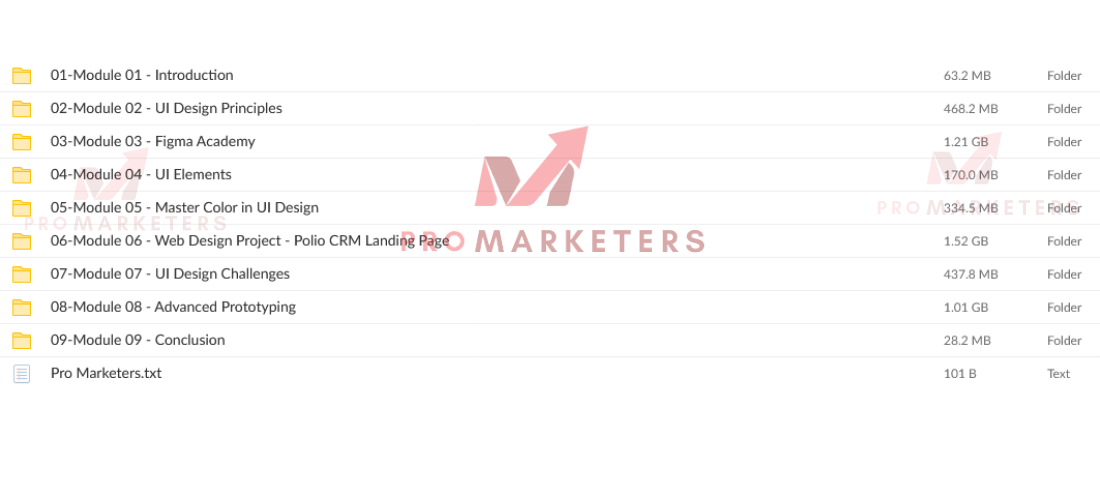
| Module | What You’ll Do | Outcome |
|---|---|---|
| Foundations | Learn layout, type, color | Solid visual system |
| Figma Essentials | Grids, components, variants | Scalable design files |
| Finance App | Design flows, states, icons | App-ready screens |
| Prototyping | Micro interactions, motion | Clickable demos |
| Delivery | Handoff, export, specs | Dev-ready assets |
Who This Course Is For
For anyone ready to break into UI/UX or level up fast, this course meets you where you are. If you’re new to UI Design and want to learn Figma the right way, you’ll get a practical path from zero to confident. You’ll build skills that translate into real projects and a stronger portfolio, while understanding how UX design decisions shape interfaces users love.
You’ll also benefit if you’re a developer who wants to speak design fluently. By grasping layout, spacing, hierarchy, and component logic, you’ll collaborate better and ship cleaner front-end. Graphic designers shifting to digital can adapt visual strengths to product workflows and patterns, expanding into UI/UX with hands-on guidance. And if you’re aiming to monetize your skills, you’ll learn how to package work that clients value.
- Build professional interfaces in Figma
- Translate UX design principles into clean UI
- Upgrade your portfolio with real components
- Bridge design-to-dev with front-end friendly assets
Instructor
Although he’s best known for blending design and code, your instructor, Arash Ahadzadeh, brings a rare mix of depth and practicality. With a decade in graphic Design and six years building iOS apps, he translates real product constraints into clear, actionable lessons. You’ll see how a working developer approaches UI, from hierarchy and typography to component systems and handoff.
Arash’s courses are short, focused, and outcomes-driven. He’ll teach you everything you need to start designing confidently in Figma, prioritize usability, and iterate fast. His goal is simple: help you build a strong foundation in UI/UX and move from concept to prototype without wasting time.
Students trust his approach—over 14,197 learners and a 4.5 rating from 2,614 reviews reflect consistent, high satisfaction. You’ll benefit from concise modules, practical exercises, and patterns you can reuse across projects. If you want clarity, speed, and real-world skill transfer, Arash is the instructor you’ve been looking for.
Additional Resources and Community
You’ll tap into community networking opportunities to meet peers, trade feedback, and build collaborations that accelerate your UI growth. You’ll also find alternative download sources and shared assets vetted by the group, plus prompt help via sp.courses2day@gmail.com when you need it. For cross-platform learning paths, extend beyond Figma with options like Arash Ahadzadeh’s Wix Studio Masterclass to broaden your design toolkit.
Community Networking Opportunities
While you master UI design and Figma, the Courses2day community connects you with peers and professionals for real collaboration, mentorship, and growth. You’ll tap into community discussions that surface practical tips, critique, and templates you can apply immediately. These networking opportunities help you find collaborators, mentors, and potential hiring managers, while continuous learning thrives through shared resources, trend spotlights, and tool walkthroughs.
- Weekly critique circles where peers and instructors review wireframes, flows, and prototypes
- Topical channels for Figma plugins, component libraries, and design systems
- Mentor-led AMAs that reveal real-world workflows, handoff tactics, and portfolio advice
- Project matchmaking to form teams for case studies, hackathons, and client-style briefs
Show up, ask focused questions, offer feedback, and document what you learn. Your participation compounds into sharper skills and a stronger network.
Alternative Download Sources
Because some learners hit limits with Mega, we actively surface alternative download sources so you can access the course without friction. You’ll find clearly labeled mirrors and accessible sources vetted by moderators, so you don’t waste time chasing broken links. If Mega throttles you, import the course folder to your personal Mega account as a workaround, then sync locally.
We also rely on community engagement to keep links current. Report dead URLs, confirm working mirrors, and suggest alternative download options you’ve tested. Share checksum notes or brief steps that helped you complete downloads, so others benefit fast. As you participate, you’ll uncover additional resources, including Arash Ahadzadeh’s Wix Studio Masterclass. Stay active, contribute links responsibly, and help maintain a reliable, learner-driven repository of materials.
Cross-Platform Learning Paths
Even if Figma is your home base, expand your skills across platforms to build stronger, hire-ready instincts. Follow cross-learning paths that expose you to different tools, workflows, and constraints, so your design and User decisions stay sharp and adaptable. In this course’s community, you’ll share resources, compare approaches, and get practical feedback that accelerates growth. You’re encouraged to test alternatives—Sketch, XD, Wix Studio—and post takeaways that others can iterate on. Keep engaging: discussions, critiques, and best-practice threads compound your learning.
- Map a weekly cross-learning plan spanning Figma, prototyping tools, and site builders.
- Share links to tutorials and alternative courses; explain what changed your process.
- Join feedback sessions; trade actionable critiques with peers.
- Explore Wix Studio insights, including Arash Ahadzadeh’s Masterclass, and report outcomes.
Conclusion
You’re not just learning Figma—you’re mastering a job-ready workflow that lets you design with confidence and ship polished prototypes. With over 14,197 learners already sharpening their skills, you’ll join a community that pushes you to grow faster than going solo. You’ll apply core UI principles, build real projects, and get practical feedback that sticks. If you’re serious about turning ideas into delightful interfaces, this course gives you the clarity, momentum, and network to make it happen.


